
Getting Started With Your Player Account
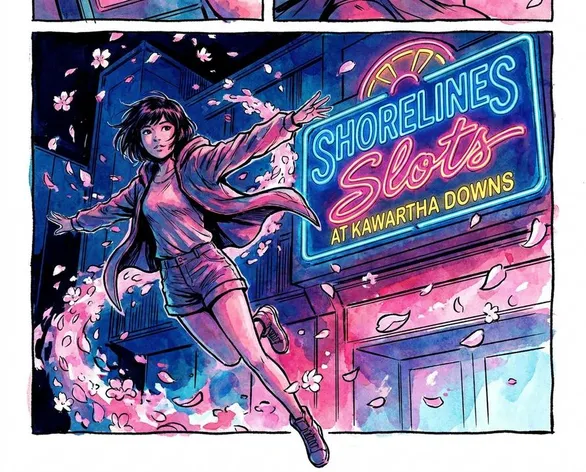
Shorelines Slots at Kawartha Downs is a regulated slots venue located at 1382 County Road 28, Fraserville, Ontario, operated by Great Canadian Entertainment under contract with the Ontario Lottery and Gaming Corporation (OLG). That structure is important: any account that connects to slots play in this province runs through OLG’s official system, not through a separate brand-only portal. When you complete the Shorelines Slots at Kawartha Downs create account steps, you are effectively connecting into a province-wide framework that handles player tracking, loyalty functions, and promotional access for Shorelines locations.
Our venue is located at 1382 County Road 28 in Fraserville, Ontario. We are part of the four-property Shorelines network and we are the only site in that group that pairs a dedicated slots floor with a live harness racing track. The mix on-site is unique, but the way you set up your account is aligned with the other Shorelines properties.
If you need assistance with account setup or have questions about responsible gaming, the onsite and phone support teams can help clarify the process or resolve any issues related to your player profile.
How to Register
Account registration runs through the OLG-connected portal that supports Great Canadian Entertainment’s Shorelines casinos. The process is straightforward, but it does run on regulated rails.
- Go to the official OLG or Great Canadian Entertainment portal that lists Shorelines Casinos.
- Look in the main navigation for the registration or sign-up option and open it.
- Enter your full legal name exactly as it appears on your government-issued identification.
- Add your current Ontario residential address with postal code so the system can confirm your province of residence.
- Input your date of birth, which is used to confirm that you meet Ontario’s minimum legal age for gaming.
- Create a unique username and choose a strong password that you do not reuse elsewhere.
- Submit the registration form and then watch your email inbox for the confirmation message.
- Use the link in that message to activate your account before you visit the venue.
If you are setting up your account for the first time and you already have a visit in mind, we always suggest starting a few days before you plan to come. Verification can take up to three business days in some cases, during which time certain features will stay limited. It is simply easier to have your access ready before you arrive at the slots floor.
Verification - What to Expect
Account verification is not optional under Ontario’s gaming rules. OLG and Great Canadian Entertainment apply standard KYC (know-your-customer) checks to every new player profile. This is normal in regulated gaming environments across Canada, and it is built to confirm both identity and eligibility.
You will normally be asked to provide a valid government-issued photo ID, such as a Canadian driver’s licence or a passport. Along with that, the system may request proof of Ontario residency, for example a recent utility bill or bank statement dated within the last 90 days. In a smaller number of cases, a secondary piece of identification is requested, particularly if the first documents are unclear.
| Verification Stage | Typical Timeframe |
|---|---|
| Document submission | Immediate |
| Initial review | 1 business day |
| Full account activation | Up to 3 business days |
| In-venue account linking | Same day at the venue |
Sending in clear, readable copies at the first attempt usually prevents most delays. The most common reasons for a hold-up are blurry photos, cut-off edges of documents, or items that have already expired. When that happens, the system will need you to resubmit, and that essentially restarts the review clock.
Your Account Dashboard and Settings
Once your verification is complete, your account dashboard becomes the central place where you adjust how you interact with us. From there you can maintain your contact details, choose how we reach out to you, and set or review responsible gaming limits.
The responsible gaming controls are integrated directly into your profile rather than hidden in a separate menu. Deposit limits, time-on-device reminders, and self-exclusion tools are available there, and they apply across your activity both at Kawartha Downs and at any other connected Shorelines venue. Set them once at the account level and they will follow your play, so you do not need to reconfigure these settings every time.
Notification and contact preferences are also worth a proper look. Kawartha Downs runs venue-based campaigns like the Play What You Eat promotion, and we generally communicate these offers first to account holders who have opted in to receive them. If your contact options are incomplete, or fully switched off, you can easily miss a promotion window without realizing it.
Linking Your Account to the Slots Floor
When you arrive at Shorelines Slots at Kawartha Downs, you can link your verified account into our on-site system in just a few steps. The venue is open every day from 10:00 am to midnight, so you have a broad window to do this in person.
- Walk up to the payout counter, or speak with any staff member on the slots floor who can direct you.
- Provide your account credentials or show your player card if one has already been issued as part of your registration.
- Our team will connect your profile to the in-venue system, enabling tracking for sessions and eligibility for promotions.
- Insert your player card into the card reader on the slot machine before you start playing a session.
- From there, your play, earned points, and qualifying promotional activity are logged automatically in the system.
If you have not received a physical card before your first visit, we will complete that part on-site. The linking step and card issuance typically happen at the same time. After that, you simply bring your card with you and present it on each visit. You do not need to repeat the initial setup again unless a replacement card is required.